Scope: This is general operating guidance. Follow your local health department and adopted code, facility SOP (standard operating procedure), chemical label, and equipment-manufacturer instructions.
One Pool Is Chemistry; 100 Pools Is Operations
At one pool, you can know almost everything by walking into the equipment room. At a hundred pools, nobody walks anywhere fast enough, and the job changes character: from managing water to managing information about water.
The portfolio problem is not chemistry difficulty; it is attention allocation. Every pool generates readings, and almost all of them are normal almost all of the time. The system that wins is the one that spends human attention only where the data says it is needed, and documents that the rest was watched.
Design the Dashboard Around Exceptions
A dashboard should not turn a regional manager into a full-time pool-screen watcher. Good monitoring is exception-driven: show which body of water needs attention, how far it moved, what the recent history looks like, and who owns the next step.
More alerts are not automatically better. An alert that creates no clear action trains people to ignore alerts, and the day a real one arrives it gets the same shrug. The design target is a short exception list where every item has an owner and an action, and an everything-else column that stays quietly green. For the portfolio-wide picture of scheduled testing, alerts, and records, see our guide to commercial pool monitoring.
Standardize What Every Property Reports
Portfolio views only work when every property speaks the same data language: the same parameters, the same units, the same timestamp conventions, the same escalation fields. One site reporting ORP millivolts and another reporting free-chlorine ppm cannot share a dashboard row.
Standardization is a decision, not a default. Pick the core panel, free chlorine, combined chlorine, pH, and total alkalinity are the common four, define the fields an exception must carry, and hold every property to it. The commercial pool chemical levels guide covers what belongs on the core panel.
Standardization extends to naming the bodies of water themselves. 'Main pool' and 'spa' must mean the same things in every property's feed, because a regional exception list cannot afford ambiguity about which water needs the visit. Naming discipline sounds pedantic until the day a spa alert sends a tech to the wrong pool across town.
Give Regional Teams History, Not Screenshots
A screenshot of today's reading tells a regional manager almost nothing. The useful artifact is the trend: where this value has been for two weeks, whether the slope is new, and what happened the last three times it looked like this.
History is what lets regional staff prioritize. A low free-chlorine reading with a flat two-week history is a verification task; the same reading on a property that has corrected the same problem four times this month is a root-cause investigation. Same number, different job, and only the trend can tell them apart.
Connectivity Becomes a Deployment Issue
Connectivity sounds boring until the device is mounted in a concrete equipment room below grade. Portfolio rollouts live or die on whether each site's data path actually works: equipment-room Wi-Fi is frequently weak, shared property networks come with IT hurdles, and passwords rotate.
Cellular-connected devices sidestep most of that, because the data path belongs to the device rather than the property. Whatever the transport, the deployment checklist should include a signal test at the actual mounting location, not at the office door. More on this scenario in pool water testing without Wi-Fi.
The Dashboard Should Lead to Action
The test of a monitoring system is what happens after the number changes. Every exception should route to a person who can act, carry the context they need, and record what happened next. An exception without an owner is decoration.
That last mile is physical: someone tests, inspects, corrects, and retests at the actual water. The dashboard's job ends at putting the right information in front of the right person early; the craft of pool care takes it from there, and the record of that work flows back into the same history. For the log side of the loop, see commercial pool logs.
Practical Operator Workflow
Run the portfolio day from the exception list, not the property list. Morning: review overnight exceptions, assign owners, confirm yesterday's corrective actions closed with follow-up results. Midday: the alerts do the watching. Weekly: review which properties generate the most exceptions and ask what the others know that they do not. The portfolio manager's craft is pattern recognition across sites, and the data finally makes it possible.
Where Amano Fits
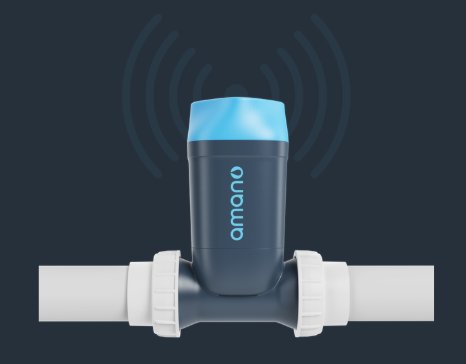
Amano gives portfolios one consistent data source: scheduled reagent-based water tests measuring free chlorine, combined chlorine, pH, and total alkalinity at every property. Results are timestamped, alerts go out after completed tests, and logs can be shared by QR code without an Amano login.
For multi-pool monitoring, the practical value is a uniform data layer across the portfolio: the same four-parameter panel, timestamped, on every site, with built-in cellular so no property's Wi-Fi decides whether the dashboard works. Regional teams get the exception view and the history in the same place, and the escalation design from this guide has a data stream built for it.
Amano supports the operator's process. It does not add chemicals, and it does not replace testing, verification, or safety duties imposed by the local authority having jurisdiction.
See the multi-property dashboard
See how scheduled reagent tests from every property land in one timestamped, cellular-connected view.
Quick FAQ
What is the main takeaway for multi-pool monitoring?
Manage exceptions, not screens. Standardize what every property reports, route each exception to an owner with an action, and use history to tell a new problem from a recurring one.
Does automation replace the pool operator?
No. Automation adds measurements, records, alerts, and history. Physical inspection, correction, and jurisdiction-required manual tests stay with people at the water.
How many alerts should a portfolio system generate?
As few as reliably catch real conditions. Every alert should map to a defined verification or action; anything else is noise that trains the team to ignore the system.
Should every property use the same setup?
No. Facility type, code, staffing, existing equipment, bather load, and operating model all matter. Standardize the data, not the plumbing.
Talk through your pools with us
Thirty minutes, your properties, your water-testing setup. No obligation.
Primary sources and scope
Reviewed September 16, 2026. The sources below provide public-health and label context. Amano product details on this page come from current Amano materials.